No products in the cart.

Open Graph controls how your website links appear when shared on social media and messaging apps. It affects the image, title and description people see before they click.
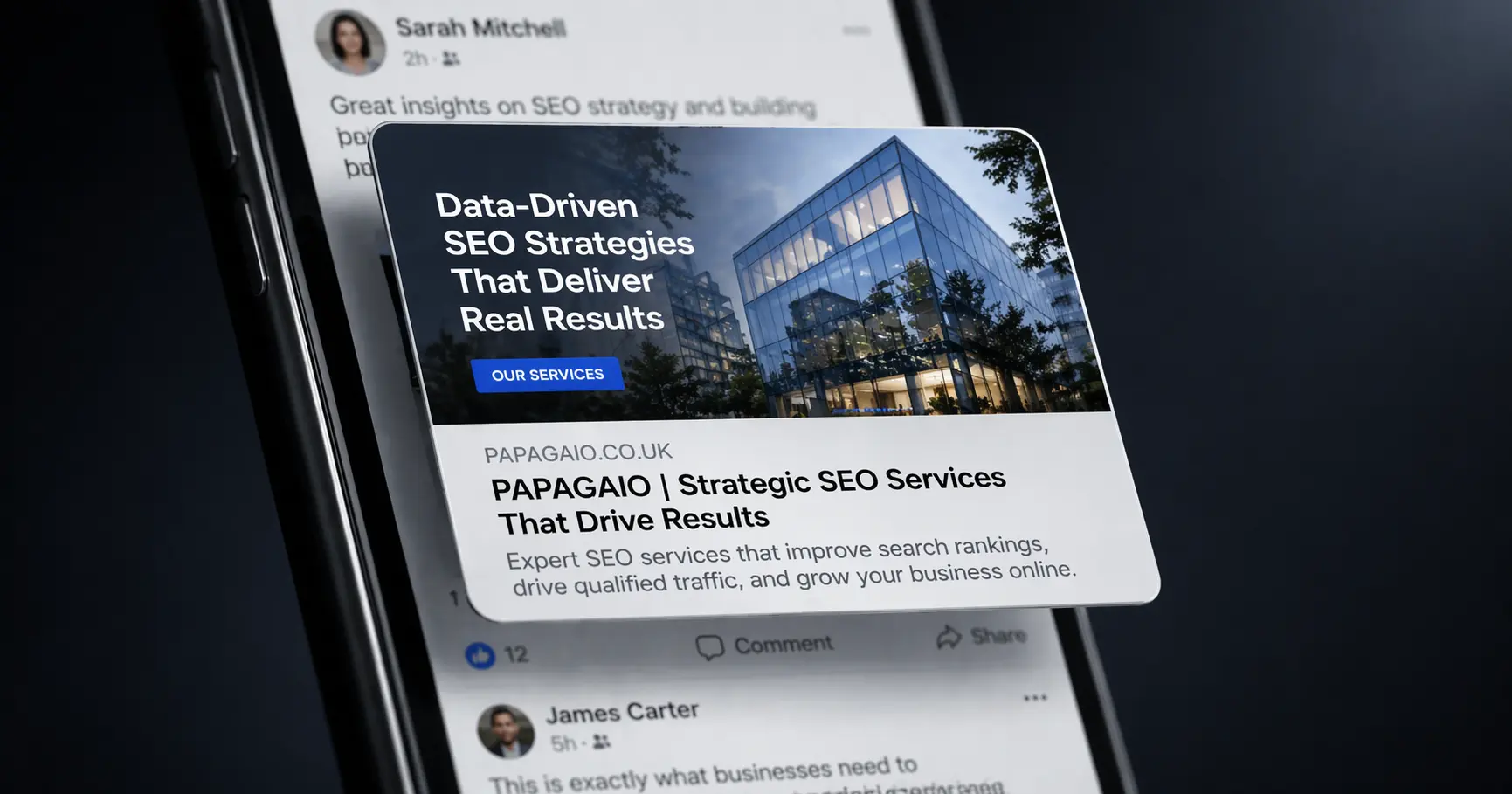
Open Graph is one of those website details many people do not think about until they notice a link preview looking wrong. You share a page, and instead of a strong image and clear title, the result looks broken, bland or inconsistent. That is usually where Open Graph comes in.
In simple terms, Open Graph helps control how a page appears when it is shared on social media platforms, messaging apps and other places that generate a preview card from a link. It influences the image, title and description people see before they ever click through to the website.
When someone shares a website link, many platforms try to pull through a preview automatically. That preview usually includes a title, a short description and an image. Open Graph is the set of information that helps tell those platforms what they should show.
Without it, the platform may guess. Sometimes it guesses well. Sometimes it pulls the wrong image, the wrong wording or something that feels unhelpful and unfinished.
That makes it a small but important part of how a website presents itself outside the website itself.
A shared link is often the first thing someone sees before deciding whether it looks worth opening. If the preview is strong, the link feels more polished, more relevant and more trustworthy. If it looks messy or generic, the opposite can happen.
That is why Open Graph matters. It shapes how your content appears in places where people are deciding quickly whether to pay attention or scroll past.
A website link is not just a technical route to a page. When it is shared, it also becomes a piece of presentation. The preview card acts almost like a mini advert for the page. It gives people a fast visual and written summary of what they are about to see.
If that summary is weak, the link becomes less appealing. If it is clear and well presented, the page gets a better chance of earning the click.
One of the most noticeable parts of Open Graph is the preview image. A strong image can make a shared link feel much more polished and eye-catching. A weak image, the wrong image or no image at all can make the link feel incomplete.
This matters because people often respond to visuals first. A good Open Graph image supports the topic of the page and gives the shared link a stronger presence in crowded feeds or message threads.
The image may grab attention, but the title and description help explain what the page is about. If the wording is vague, too long or poorly matched to the page, the preview becomes less useful. A good Open Graph setup should feel clear and intentional rather than automatically generated and left to chance.
This is one reason why good website metadata matters more broadly. The way your content is introduced in different places shapes how likely people are to engage with it.
Open Graph may seem like a technical detail, but it has a direct effect on brand presentation. When your shared links consistently look clean and well put together, the business feels more considered. It shows that attention has been paid not only to the website itself, but also to how that website appears when it is seen elsewhere.
Those details matter because people often discover businesses through shared links rather than by typing the website address directly.
Some pages benefit from Open Graph more than others. Blog posts, articles, service pages, promotions and campaign landing pages are all likely to be shared directly. If those pages have strong preview settings, they stand a better chance of looking appealing wherever they appear.
That makes Open Graph especially useful for businesses that rely on content, referrals, social sharing or messaging links as part of how people find them.
If Open Graph is not set properly, platforms may pull in whatever they can find. That can lead to previews using an unsuitable image, a repeated title, an awkward description or something else that simply does not represent the page well.
In other words, the link still works, but the presentation becomes weaker than it needs to be. And that can quietly reduce interest and clicks.
One of the useful things about Open Graph is that a small amount of setup can influence the page in lots of different places. Once the right title, description and image are defined, that page is much better prepared for being shared again and again across different platforms.
That makes it a small detail with a fairly wide effect. It helps each link carry a better first impression wherever it travels.
Open Graph matters because shared links are part of how businesses are seen online. If someone discovers your website through social media, a message thread or a forwarded link, the preview may shape their first reaction before they even open the page.
That is why it is worth paying attention to. It helps your links look clearer, more attractive and more aligned with the quality of the website behind them. For something many people never notice until it is wrong, it can make a surprisingly useful difference.

 By Papagaio
Feb 12, 2025
 By Papagaio
Jun 13, 2026
 By Papagaio
Dec 12, 2023
 By Papagaio
Jan 14, 2026
 By Papagaio
May 18, 2023